Edit videos right in your browser.
Trim, cut, merge and polish your clips in VibeCut Studio. Add music, captions and transitions, then export in high definition. No download, no heavy software.
Videos edited and rendered with this tool
From raw clips to final export.
From raw clips to export in three steps.
Open the studio
Press Open VibeCut. It loads right in your browser and is ready to edit straight away.
Build your timeline
Drop in video, music and images. Trim each clip, add captions and set the transitions.
Export and share
Preview the full cut, then export in HD and upload it wherever you publish.
Everything a video editor needs, in one studio.
Everything you need to turn raw clips into a finished video.
Trim, cut and merge
Split clips on the timeline, remove the gaps and join footage from different files into one sequence.
Music and audio
Layer a soundtrack under your footage, set the volume for each clip and fade sound in and out.
Captions and titles
Add text over any moment, pick the position and timing, and keep your speech easy to follow.
Smooth transitions
Blend one scene into the next with fades and wipes instead of hard cuts.
High-definition export
Render your project to a video file that is ready for YouTube, Facebook or a message to a friend.
Files stay with you
Editing happens on your device, so your footage is not handed to a server just to cut it.
Cut a lesson, a vlog or a product clip in minutes.
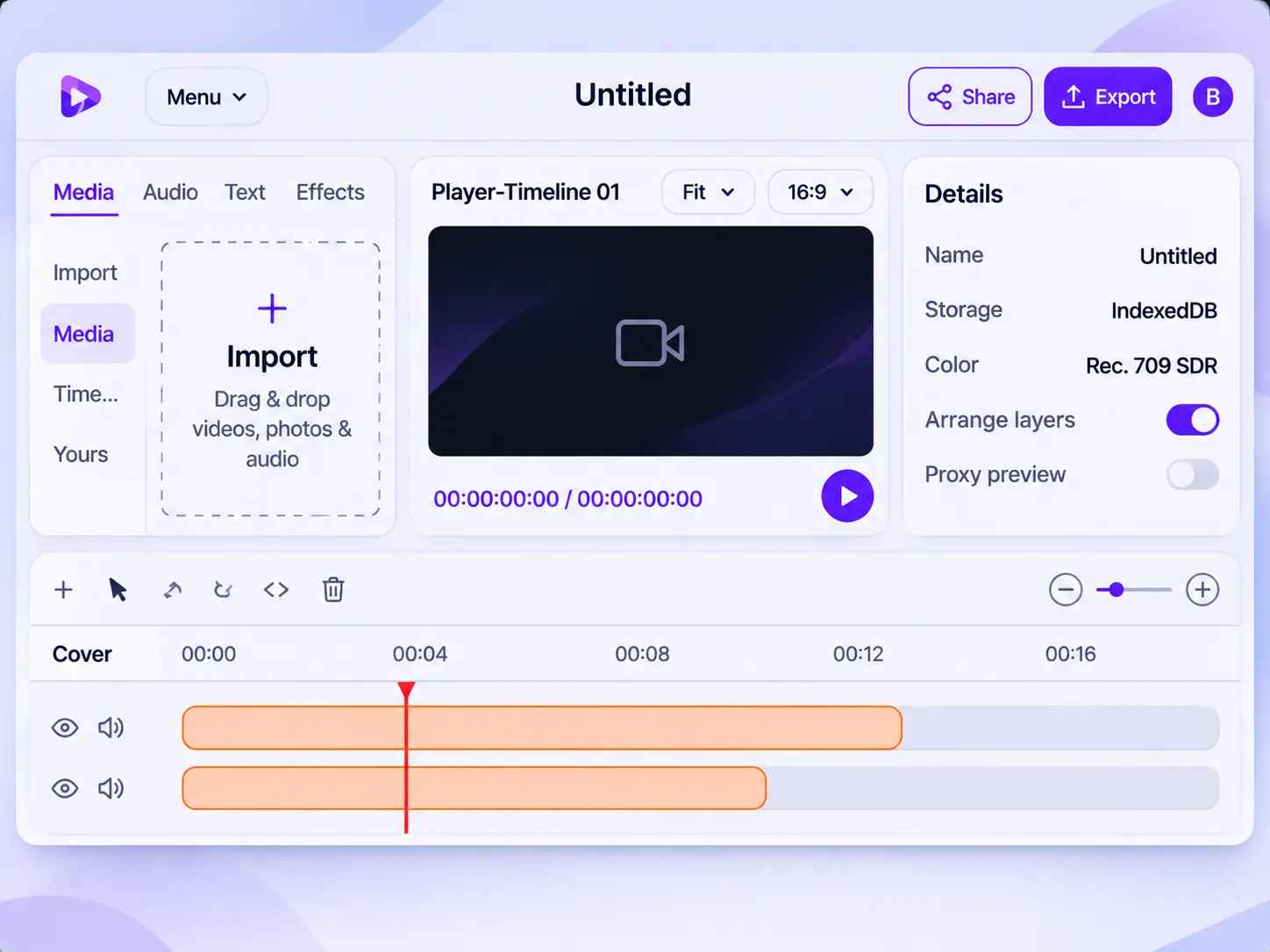
VibeCut keeps the layout simple: preview on top, timeline underneath. You see every change as you make it.
- Works in your browser, nothing to install
- Multi-track timeline with a draggable playhead
- Works with the video, audio and image files you already have
- Open it on a laptop or a desktop for the best view
Questions creators ask.
Quick answers before you open VibeCut Studio.
No. VibeCut Studio runs in your browser. Press Open VibeCut and start adding clips.
Editing is designed to run on your own device. Check the studio's privacy notes for the exact details of how files are handled.
MP4, MOV and WEBM for video, MP3 and WAV for audio, and PNG or JPG for images. Support can vary a little between browsers.
Yes. Put a music file on the audio track and add text on top of any part of the video.
You can export in high definition. Very long or very large projects work best on a computer with enough memory.
Ratings & reviews
Feedback from creators who tested VibeCut Studio.
No reviews yet
Tried VibeCut Studio? Be the first to share how it worked for your video.